Gaming PC cleaning
& thermal paste.
Dust out of every fan, fresh paste on CPU and GPU. Cool and quiet again. On-site across Helsinki, Espoo, Vantaa and Kerava. Free diagnostics. Faults fixed free.
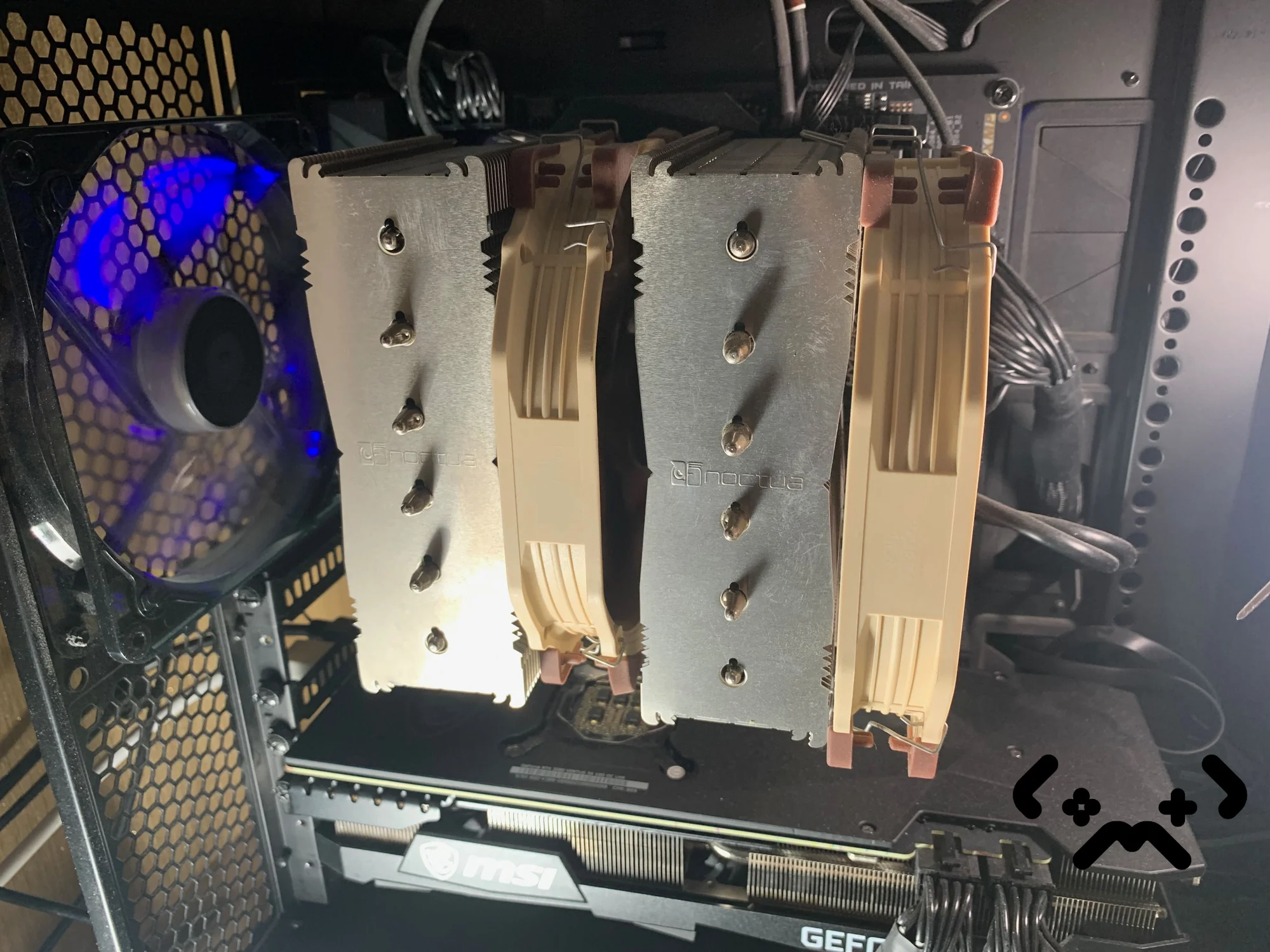
Pick your tier.
Two service options. Same premium paste in both — you're paying for the depth of work, not the materials. Not sure which? We'll say which one it actually needs when we quote.
Case, filters and every fan cleaned, CPU cooler off and cleaned, GPU heatsink blown out, fresh premium paste on the CPU. The reset for any aging gaming PC.
- Case, front mesh and dust filters cleaned
- All case and CPU fans cleaned
- CPU cooler off, heatsink fins cleared
- Fresh premium paste on the CPU
- GPU heatsink and fans cleaned
- Service time: about 1.5 hours
- Faults fixed free
- Free diagnostics
Everything above plus a full GPU teardown — fresh paste on the die and new thermal pads on VRAM and VRM. For cards 3+ years old or running hot under load.
- Everything in the first tier
- GPU cooler removed
- Fresh premium paste on the GPU die
- VRAM and VRM thermal pads replaced
- Maximum cooling for both chips
- Service time: about 2 hours
- Faults fixed free
- Free diagnostics
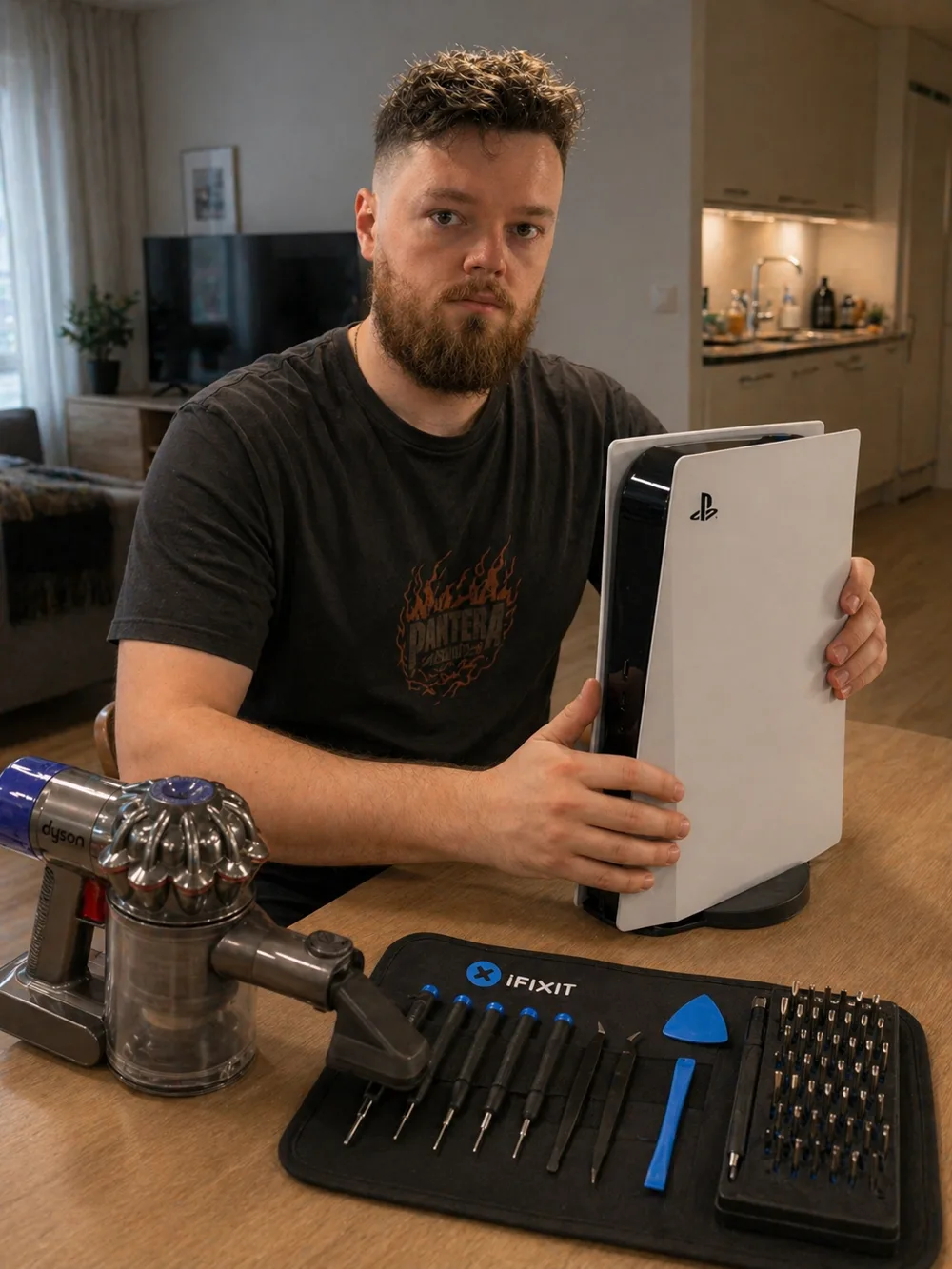
Meet Andrei.
When you book MopsiHuolto, the same person picks up the phone, drives to your door and works on your device. He's a repair technician with 20+ years of hands-on electronics experience, certified in soldering and laptop repair at the Vremonte courses in St Petersburg (2019) — soldering, console maintenance, high-end laptop servicing.
Read the full story →You don't go anywhere.
Almost every job happens on your own table. Not as a perk — it is simply the arrangement that works better for both of us.
Is your gaming PC
showing these signs?
If you notice any of these, your PC needs a full cleaning. The longer you wait, the closer you get to a CPU or GPU you can't replace cheaply.
Idle fan speed crept up — case fans and CPU cooler ramp at 50% just to keep up. Filters and heatsink fins are choked with dust.
The card runs hot in modern titles, clocks drop, frame times spike. Fresh paste and pad replacement on the GPU recover most of the original boost clock.
PC powers off mid-game, sometimes with a CPU thermal trip in the BIOS log. Stock cooler is overwhelmed by dust + dried paste.
Front mesh, RGB fan blades, GPU shroud — all grey. PC has been pulling air through carpet and pet hair for years.
GPUs and CPUs don't grow back.
A clogged gaming PC reaches its temperature limits sooner, and an NVIDIA card at its limit protects itself by giving up performance.
At its maximum temperature an NVIDIA card's driver lowers performance to pull the temperature back. If it keeps rising anyway, the GPU shuts the whole system down to protect the card.
Hot air recirculating in the case bakes the PSU caps. PSU lifespan halves, and a failing PSU can take the motherboard with it.
A €179 cleaning today is the difference between a card that keeps running and one that cooks itself — and a replacement is €600–€1 200.
How it works.
Four steps. No surprises — and no upsell sprung on you once the case is already open.
Call, WhatsApp or Telegram. We arrange a time that works — mornings, evenings, weekends.
Tell us the case, the CPU and the GPU, and what happens under load — clocks dropping, fans ramping, dust you can see through the side panel. You get a fixed price before we set off.
Full dust removal from every fan and filter, CPU cooler off, fresh paste, optional GPU teardown for paste and pads. Cable management restored to original spec.
Reassembled and run under a real gaming load. Clocks have to hold and the fans have to settle before we pack up.
Before / After.
What actually changes after a full clean and fresh paste — the difference you notice in a real session. These are outcomes, not sensor readings: we tell you what you will see and hear, not numbers we did not take.
Cooler-test methodology and baseline data come from the TechPowerUp cooler reviews — see their thermal benchmark protocol.
519+ reviews
since 2017.
“Andrei is an excellent professional in assembling computers. He helped me choose all the components and checked their compatibility. In addition, he found shops where he could get the parts at the best price. …”
“Really good and fast service! The PS5 was cleaned and the liquid metal replaced, and it was ready faster than expected. Now it runs quietly and well again. I recommend it!”
“Convenient service”
Questions,
answered.
Couldn't find what you need? Call us — we reply in minutes.
How often should I clean my gaming PC?+
Once a year for normal use, every 6 months if you have pets or smoke indoors. Dust accumulates on heatsink fins exponentially — once the fins are 50% blocked, every additional millimetre makes the cooling work harder for the same result, and the fans have to spin much harder to compensate.
Is repasting the GPU risky?+
Modern GPU coolers come off with 4–8 screws; the care is in the pads, which come in different thicknesses on the same card and have to match the model. We use ESD-safe tools, take photos at every step and fit pads of the correct thickness for each board model. €90 on top of the base clean, against a €600+ card replacement if a DIY attempt goes wrong.
Will this void my warranty?+
On the case, motherboard and power supply — no, opening the side panel is normal user maintenance. On the GPU specifically, removing the cooler voids the manufacturer warranty (typically 2–3 years). For cards out of warranty, our re-paste service is the most cost-effective way to restore performance. Any fault in our work is fixed free of charge.
Do you work on custom water-cooled builds?+
Yes — AIOs, hard-tube and soft-tube custom loops. AIOs we clean and reseat as a standard service. Hard-tube custom loops we drain, refill and rebleed only on request and at workshop drop-off — that's a half-day job, not on-site.
How long does the service take?+
Cleaning + CPU paste: about 1.5 hours. With the GPU teardown, fresh paste and new pads: about 2 hours. We work on-site at your desk — no need to box up the tower.
Do you come to my location?+
Yes — most gaming PC cleanings are done at your home or office across Helsinki, Espoo and Vantaa. Travel is included in the price. Kerava and anywhere else beyond Kehä III: we still come, with €0.50/km on top and travel for agreed work only.
Worth reading first.
Normal GPU temperature is up to your card's maximum: 85–93 °C on the GeForce RTX cards we checked. How to check yours, why it climbs, what brings it down.
A no-compromise machine: a 14900K, an RTX 4090, 96 GB of RAM, a screen on the cooler, colour-matched throughout. The customer paid about €6,000 for the parts at…
A workstation for video editing and neural-network work: 16 cores, 128 GB, a 4090 for CUDA, and Noctua fans so it stays silent overnight. The parts came to…
Related services.
Book gaming PC cleaning.
Quiet fans, full clocks, restored cooling. Faults fixed free. Free diagnostics first.