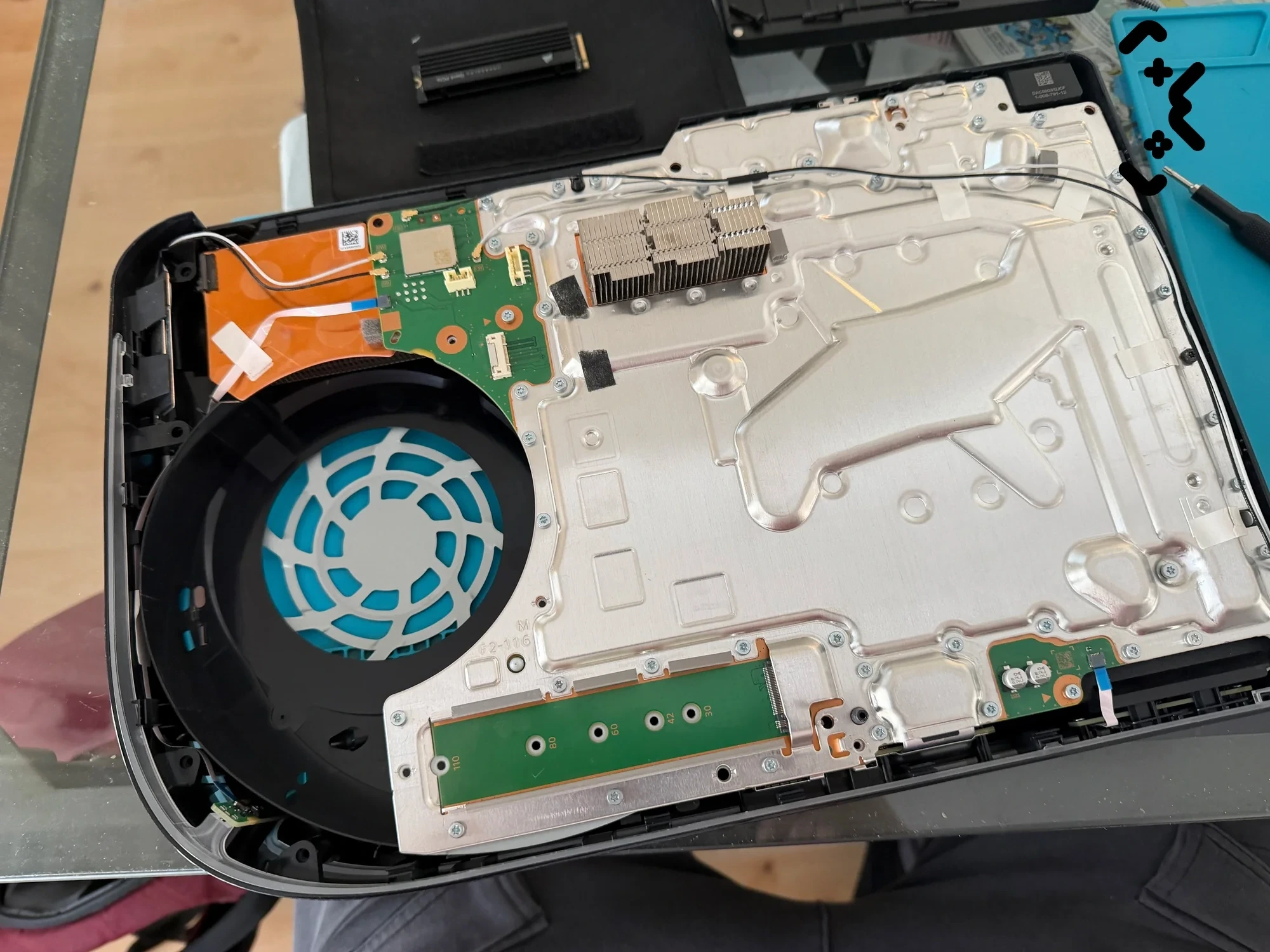
A PS5 that won't turn on is usually telling you where the fault is — through the power light, the beeps, or the absence of both. No light and no beep points at power not reaching the console. A light that comes on and dies, or a blue light that never turns white, points at the console itself. This guide reads those signs using Sony's own definitions, goes through the home fixes in the order that makes sense, and says where home fixes stop.
Nothing below deletes your games or saves. If you reach the end and the console is still dead, a free diagnostic in Helsinki, Espoo or Vantaa tells you what it is before you spend anything.
No light and no beep: check the socket, drop the power strip, swap the cable. Blue light that never turns white, or blinking white: Sony calls it a frozen console — unplug, wait three minutes, try again. One beep means the button registered; two beeps is the way into Safe Mode. Safe Mode needs the controller on a USB cable. If a known-good cable and socket still give nothing, or it switches itself off seconds after starting, it's a hardware job.
What the PS5 power light and beeps are telling you
The light is the most useful signal you have. According to Sony's power indicator guide, solid white means the console is on, blue turning to white means it is starting up, and blinking white, solid blue or blinking blue that never turns white means the console has frozen with an error.
| What the light does | What Sony says it means | What to do |
|---|---|---|
| Nothing at all | The console is off | Check socket, cable, power strip — next section |
| Blue, then solid white | Normal start-up | If there's no picture, it's the screen side |
| Stays blue, or blinks blue | Console error — frozen | Unplug, wait 3 minutes, turn it on again |
| Keeps blinking white | Console error — frozen | Same as above |
| Pulses white, then goes out | The console is powering off | Normal — unless you didn't ask it to |
| Solid orange | Rest mode | Press the power button to wake it |
| Blinking orange | Entering rest mode | Wait a few seconds for solid orange |
The beeps are simpler. Sony's beep settings page says the console beeps when you turn it on or off and when you insert a disc. Sony doesn't document any error beep codes for the PS5. One catch: the Mute Beep Sound setting silences the on/off beep, so a silent start on a console where someone switched that on is not proof it's dead.
No light, no beep: the PS5 won't turn on at all
No light and no beep means power isn't getting in, or isn't getting past the power supply — so start at the wall, not at the console. Most of these checks take a minute each.
- —Plug something else into the same socket — a lamp or a phone charger. iFixit's PS5 won't turn on guide starts with the same test.
- —Take the power strip or extension cord out of the chain and plug the console straight into the wall.
- —Swap the cable. The PS5 takes a standard two-pin IEC C7 cable, so a spare from another device makes an easy test. Push it fully into the back of the console — a half-seated plug looks connected and isn't.
- —Unplug both ends, wait at least a minute, reconnect, and press the power button on the console once, firmly.
If a known-good cable in a known-good socket still gives you nothing — no light, no beep, no fan twitch — home troubleshooting is over. That pattern points inside the console: the power supply, the power inlet or the board.
Light comes on, then goes out
A light that comes on and dies, a blue light that never turns white, or a white light that keeps blinking means power is getting in but the console isn't finishing its start-up. Sony's first fix for all of these is the same: unplug the console, wait three minutes, plug it back in and turn it on.
If it keeps happening, Sony's next step is reinstalling the system software from Safe Mode. Before you go there, do the full power cycle and the gentler Safe Mode options below — they don't wipe anything.
Timing tells you a lot. A console that switches off seconds after the light comes on, every time, even from cold, is a different story from one that runs twenty minutes into a game and then cuts out. The second pattern is heat — the console protecting itself — and it has its own post: PS5 overheating and shutting down. The first, if it survives every step below, is a hardware fault.
Single beep vs double beep
One beep means the console registered the power button. Two beeps — the second one about seven seconds into a held press — means you've asked it to start in Safe Mode.
That makes the beep a useful test on a PS5 that won't start properly. A beep on a short press tells you the button works and the console is getting power, so the fault is further along. A beep, a light, and then darkness puts you in the section above. And if holding the button gets you the second beep, the console is responsive enough to try Safe Mode — the best news on this page.
Sony's Safe Mode instructions spell out the timing: turn the console off by holding the power button for three seconds, then press and hold it again and release after the second beep — one sounds when you first press, the other seven seconds later.
Home fixes to try, in this order
Work from the cheapest, least invasive step upwards: power source, a full power cycle, Safe Mode, the controller over USB, then storage repair and database rebuild. Stop as soon as the console boots normally.
- —1. Power cable and socket. Covered above: a socket you know works, no power strip, cable pushed fully in.
- —2. Full power cycle. Hold the power button until the console beeps; the screen goes blank, the light flashes white and goes out. Pull the power cable, leave the console for 20 minutes, reconnect. That is Sony's own procedure from its Can't start Safe Mode page, and it goes further than the three-minute unplug.
- —3. Safe Mode. With the console off, hold the power button and release it after the second beep. What each Safe Mode option does — and why a Safe Mode screen that keeps coming back is usually heat — is in our Safe Mode post, so it isn't repeated here.
- —4. Controller over USB. Safe Mode wants a wired controller: connect it with a USB cable and press the PS button. If the Safe Mode screen appears but nothing responds, try another cable — some USB cables only charge and carry no data.
- —5. Repair storage, then rebuild the database. In Safe Mode, Repair Console Storage is the option Sony suggests when the console doesn't start up properly, and Sony says it does not erase data. Clear Cache and Rebuild Database scans the drive and builds a fresh index of what's on it. Try both before anything with 'Reset' in its name — the reset options delete user data, and the menu says so.
If the console boots after any step, note which one worked. If it only boots after a 20-minute unplug and fails again a day later, it isn't fixed — that's a pattern, and it's worth writing down for whoever opens it.
Tried the lot and it still won't start? Diagnostics are free — at your home or office in Helsinki, Espoo or Vantaa, and you hear what it is before anything is done.
Book free diagnostics →White light, no picture: a different problem
If the light goes solid white and the fan runs, the PS5 has turned on — the problem is between the console and the screen, and that isn't what this guide covers.
Check the obvious first: the TV is on the right HDMI input, the cable is pushed fully in at both ends, and a different HDMI cable gives the same result. Sony's Safe Mode menu also has Change Video Output (resolution or HDCP mode), which it recommends for blank screens. Past that point it's a picture fault, not a power fault, and it needs its own diagnosis.
When a PS5 that won't turn on is a hardware job
It's a hardware job when a known-good cable and socket give no light at all, when the console switches itself off seconds after starting even after a 20-minute power cycle, or when you can't reach Safe Mode. At that point the power supply, the power inlet or the board has to be checked with the console open.
Don't open it at home just to have a look. The PS5's power supply sits inside the case and takes mains voltage directly; iFixit lists power supply replacement among the fixes for this symptom, which tells you how deep the job goes.
If the console is still under Sony's warranty, start there: Sony's PS5 power issues page sends you to PlayStation Repairs to check whether it qualifies for a warranty repair. Out of warranty, or not sure what you're dealing with? A free diagnostic tells you whether it's heat, power or the board. If it's heat, the fix is a full clean with fresh liquid metal on the APU.
PS5 switching itself off or refusing to start? Diagnostics are free. If heat is the cause, a full clean with fresh liquid metal is from €89, with a 90-day warranty.
Book a PS5 check →FAQ
Why won't my PS5 turn on but it beeps?+
The beep means the power button registered and the console is getting power, so the socket and cable are probably fine. Do the full power cycle — hold the button until it beeps, unplug for 20 minutes — then try Safe Mode (release after the second beep). If it still won't finish starting, the fault is inside the console.
My PS5 light stays blue and never turns white. What does that mean?+
Sony lists a solid or blinking blue light that doesn't turn white as a console error: the PS5 has frozen during start-up. Unplug it, wait three minutes, plug it back in and turn it on. If it keeps happening, Sony's next step is reinstalling the system software from Safe Mode.
My PS5 turns on and then straight off. Is it overheating?+
Probably not, if it happens seconds after pressing the button on a cold console. Overheating shutdowns come after the console has been working for a while, usually mid-game. An instant shut-off from cold that survives a 20-minute power cycle is a hardware fault.
Will Rebuild Database or Repair Console Storage delete my games?+
No. Sony says Repair Console Storage does not erase data, and Rebuild Database scans the drive and builds a new index of the content already on it. The options that delete data are the two Reset PS5 entries, and Sony's description of each says so.
Certified laptop and console repair master. Twenty years on the bench in Helsinki — tearing down PS5s, MacBooks, and gaming PCs and writing down what we learn.
+358 45 196 9558 →