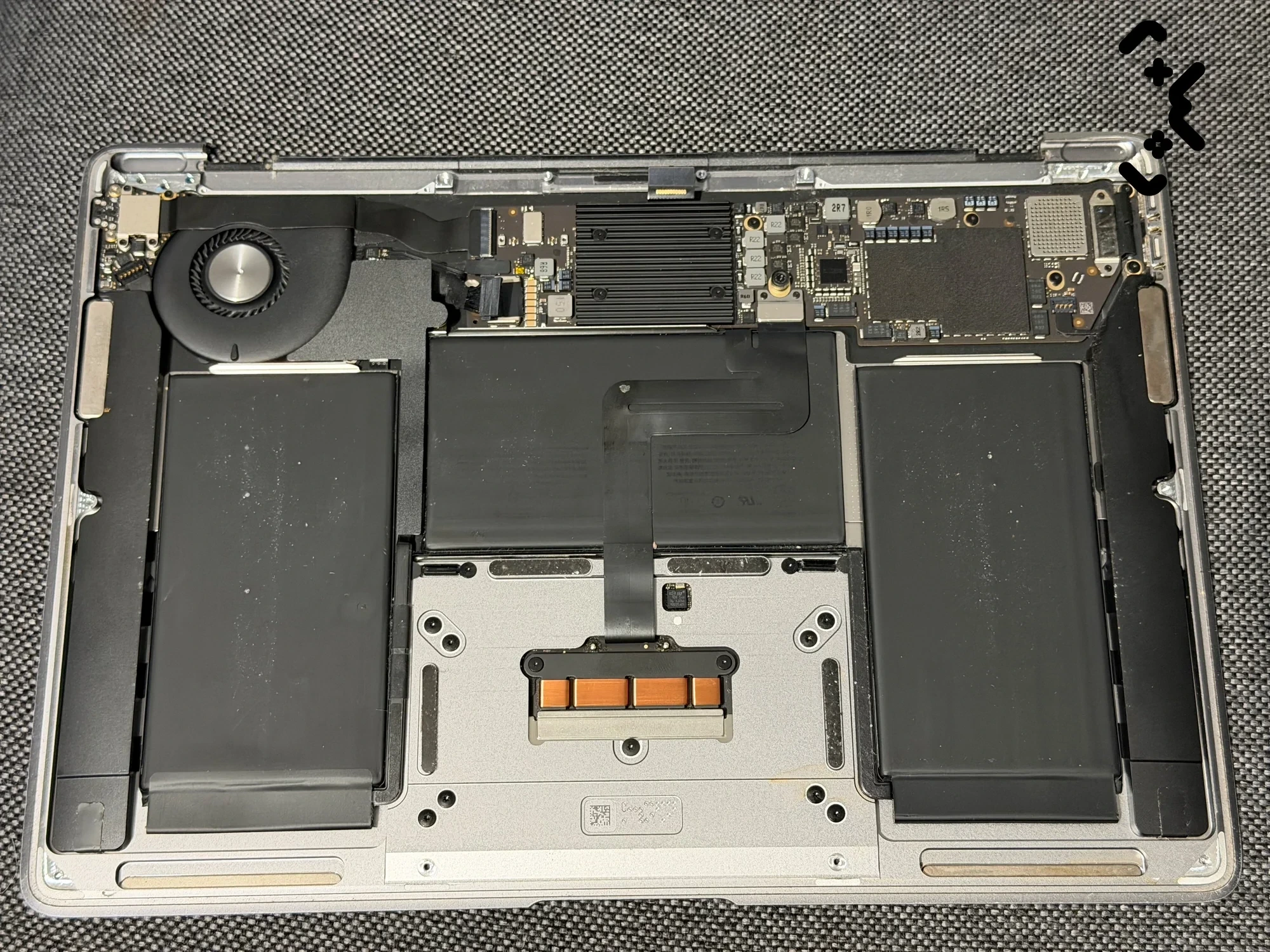
Replace a MacBook battery when macOS shows Service Recommended and the shorter runtime gets in your way, when the cycle count has passed Apple's limit for your model — 1000 on every MacBook Air and MacBook Pro of the last fifteen years — or straight away if the battery has swollen. A battery that reads Normal and still gets you through the day doesn't need replacing, whatever its age.
Everything you need to decide is already on the Mac: two screens in macOS, two minutes. This guide shows where they are, what Apple means by each status, and when the numbers say it's time. If they do, our MacBook battery replacement page has a calculator with the exact price for your model.
Battery Health lives in System Settings → Battery; the cycle count is in System Information → Power. 'Service Recommended' means the battery holds less charge than when new — Apple says you can keep using the Mac. Apple rates recent MacBooks for 1000 cycles, with up to 80 % of the original capacity left at that point. A swollen battery is the exception: stop using and charging the Mac now. Optimized charging and the charge limit slow wear down; they don't reverse it.
Where to find battery health and cycle count
Battery condition is in System Settings → Battery → Battery Health, and the cycle count is in System Information under Power. Look at both — the condition tells you how the battery is doing, the count tells you how much of its rated life it has used.
- —Condition: Apple menu → System Settings → Battery. Battery Health shows Normal or Service Recommended, per Apple's battery health article. The info button next to it opens the details and the charging options.
- —Cycle count: hold the Option key, click the Apple menu and choose System Information. Under Hardware, select Power; the Cycle Count sits under Battery Information. Those are the steps from Apple's cycle count page.
- —Maximum Capacity: on Macs with Apple silicon, Apple reports it as the battery's capacity relative to when it was new (Apple: battery health management).
One tip that saves time: take a screenshot of the Power section in System Information. It has the cycle count, the condition and the model details on one screen — enough for anyone quoting a replacement to know what they are dealing with. Skip third-party battery apps; Apple says their readings might not be accurate and recommends relying on what macOS reports.
Normal vs Service Recommended
Normal means the battery is working as it should. Service Recommended means its ability to hold a charge is lower than when it was new, or it isn't working normally — Apple's own wording.
What it doesn't mean is danger. Apple states you can safely continue to use your Mac, and get service if the lower capacity bothers you. So Service Recommended is a prompt to decide, not an order. If the Mac still lasts through your working day, you can wait. If it dies halfway through a meeting, the status is confirming what you already know.
Before you act on it, run Apple's quick checks: make sure you're using the right power adapter, shut the Mac down, close the lid for 30 seconds and try charging again. On an Intel Mac an SMC reset can help. Apple Diagnostics will also test the battery. If the status comes back, it's the battery.
Worth knowing if your Mac is covered: with an AppleCare plan, Apple replaces a battery that retains less than 80 % of its original capacity at no charge. Check that before paying anyone, us included.
Cycle count: Apple's limit by model
Every MacBook Air and MacBook Pro of roughly the last fifteen years — Intel and Apple silicon — is rated for 1000 charge cycles. Apple designs the battery to keep up to 80 % of its original capacity at that count and recommends a replacement once it's reached.
A cycle is not one charge. Apple counts a cycle when you have used 100 % of the battery's capacity in total — half on Monday and half on Tuesday is one cycle, not two. That's why a Mac that lives on the charger can be five years old and show only a few hundred cycles.
| Model | Apple's maximum cycle count |
|---|---|
| MacBook Air and MacBook Pro, from around 2009–2010 to the current Apple silicon models | 1000 |
| MacBook (Retina, 12-inch), 2015–2017 | 1000 |
| A few 2008–2009 models | 500 |
| The oldest MacBook, MacBook Pro and MacBook Air models | 300 |
The exact figure for your model is in Apple's table. Passing the limit isn't a deadline, either: Apple says you can keep using the battery after it reaches its maximum cycle count, you'll just notice shorter battery life. The count tells you where the battery is on its curve; how long it lasts off the charger tells you whether that matters to you.
Swollen battery: stop using the Mac
A swollen battery is the one case where waiting is wrong: stop using the Mac, unplug it and don't charge it again until the battery is out. Lithium cells swell when they produce gas inside, and a swollen cell is a fire risk.
The signs are mechanical, not on screen. On a MacBook, watch for:
- —a trackpad that clicks stiffly, sits higher than it used to, or stops clicking at all;
- —a bottom case that rocks on the table or no longer sits flat;
- —a new gap between the case and the keyboard deck, or a lid that no longer closes evenly.
iFixit's swollen battery guide is blunt about it: don't charge the device and don't operate it with a swollen battery. Don't press on the case to 'push it back', and don't try to prise the battery out with anything sharp — puncturing the wrapping is exactly how these fires start.
Optimized charging and charge limit
Optimized Battery Charging and the charge limit slow battery wear by cutting the time the Mac spends at 100 %. They are worth leaving on, but they can't bring back capacity a battery has already lost.
According to Apple's charging page, Optimized Battery Charging learns your routine and holds the charge at 80 % when it expects the Mac to stay on power for a long time — that's what 'Charging On Hold' in the battery menu means. It's not a fault. On Apple silicon Macs with macOS Tahoe 26.4 or later you can also set a fixed charge limit between 80 % and 100 %. Both are in System Settings → Battery, behind the info button.
Battery health management works alongside them. Apple explains that it watches the battery's temperature history and charging pattern and may temporarily reduce its maximum charge to slow chemical ageing. If a Mac lives on a desk plugged in, a charge limit of 80 % is the easiest thing you can do for the next battery — or this one.
Replace now or wait
Replace now if the battery is swollen, if the Mac shuts down on its own with charge still showing, or if Service Recommended comes with runtime you can't work with. Wait if Battery Health says Normal and the Mac lasts the day — even at a high cycle count.
| What you see | What to do |
|---|---|
| Trackpad lifting, case rocking, gaps | Stop using and charging it. Replace now. |
| Mac switches off with charge left | Replace — the battery can't deliver under load |
| Service Recommended, runtime too short for you | Replace |
| Service Recommended, runtime still fine | Your call — Apple says it's safe to keep using |
| Past the cycle limit, Normal, lasts the day | Keep using it; check again every few months |
| Normal, under the limit, but drains fast | Check the Energy tab in Activity Monitor for an app eating power before blaming the battery |
One more angle: a battery is the part that wears out by design. On a Mac that is otherwise fine — screen, keyboard, performance you're happy with — a new battery is usually what stands between you and another few years with it.
Service Recommended, or the Mac won't last a meeting? Enter your model and see the full price — battery and work — before you book. MacBook battery replacement from €149, 1-year warranty on the battery.
Calculate your price →What a battery replacement involves and costs
A MacBook battery replacement with us costs from €149; the exact figure depends on the model, because the battery for each one is a different part. The calculator on the battery replacement page gives the full price — battery plus work — once you enter the model or the A-number printed on the bottom case.
- —Diagnosis first, free: send a screenshot of the Power section in System Information and you get a quote from it.
- —The battery is ordered for your exact model and paid upfront. It arrives in 3–5 working days.
- —The swap takes about 1.5 hours, at your home or office in Helsinki, Espoo or Vantaa — or bring the Mac to us if you prefer.
- —The cell matches Apple's original specification for your model; it is not an Apple-branded part. It carries a 1-year warranty.
- —While the Mac is open, fan cleaning and fresh thermal paste can be added for €30. If heat and fan noise are the only problem, MacBook cleaning is the separate service.
Why not do it yourself? You can, with the right kit — but on most recent MacBooks the battery is glued in, and working a stuck lithium cell loose is where the puncture risk from the section above comes in. If the Mac is under AppleCare, Apple is the first stop anyway.
Know your model? The calculator shows the exact price in seconds. Replacement at your home in Helsinki, Espoo or Vantaa, from €149.
Find your exact price →FAQ
How much does a MacBook battery replacement cost?+
With us, from €149, including the battery, the work and a 1-year warranty on the battery. The exact price depends on the model; the calculator on the battery replacement page shows it before you book.
What does 'Service Recommended' mean on a MacBook?+
Apple defines it as a battery whose ability to hold a charge is lower than when it was new, or one that isn't working normally. Apple also says you can safely keep using the Mac. Replace it when the shorter runtime starts to get in your way.
How many cycles does a MacBook battery last?+
Apple rates every MacBook Air and MacBook Pro of roughly the last fifteen years for 1000 cycles, with up to 80 % of the original capacity left at that point. The battery keeps working after 1000; it just holds less.
Is it worth replacing a MacBook battery?+
If the rest of the Mac does what you need, usually yes — the battery is the part designed to wear out, and replacing it costs a fraction of a new laptop. If the Mac is also too slow or no longer gets macOS updates you need, weigh that first.
Can I keep using a MacBook with a swollen battery?+
No. Unplug it, stop using it and don't charge it. A swollen lithium battery is a fire risk, and pressure from the cell can also crack the trackpad or bend the case. Get the battery replaced before you use the Mac again.
Certified laptop and console repair master. Twenty years on the bench in Helsinki — tearing down PS5s, MacBooks, and gaming PCs and writing down what we learn.
+358 45 196 9558 →